


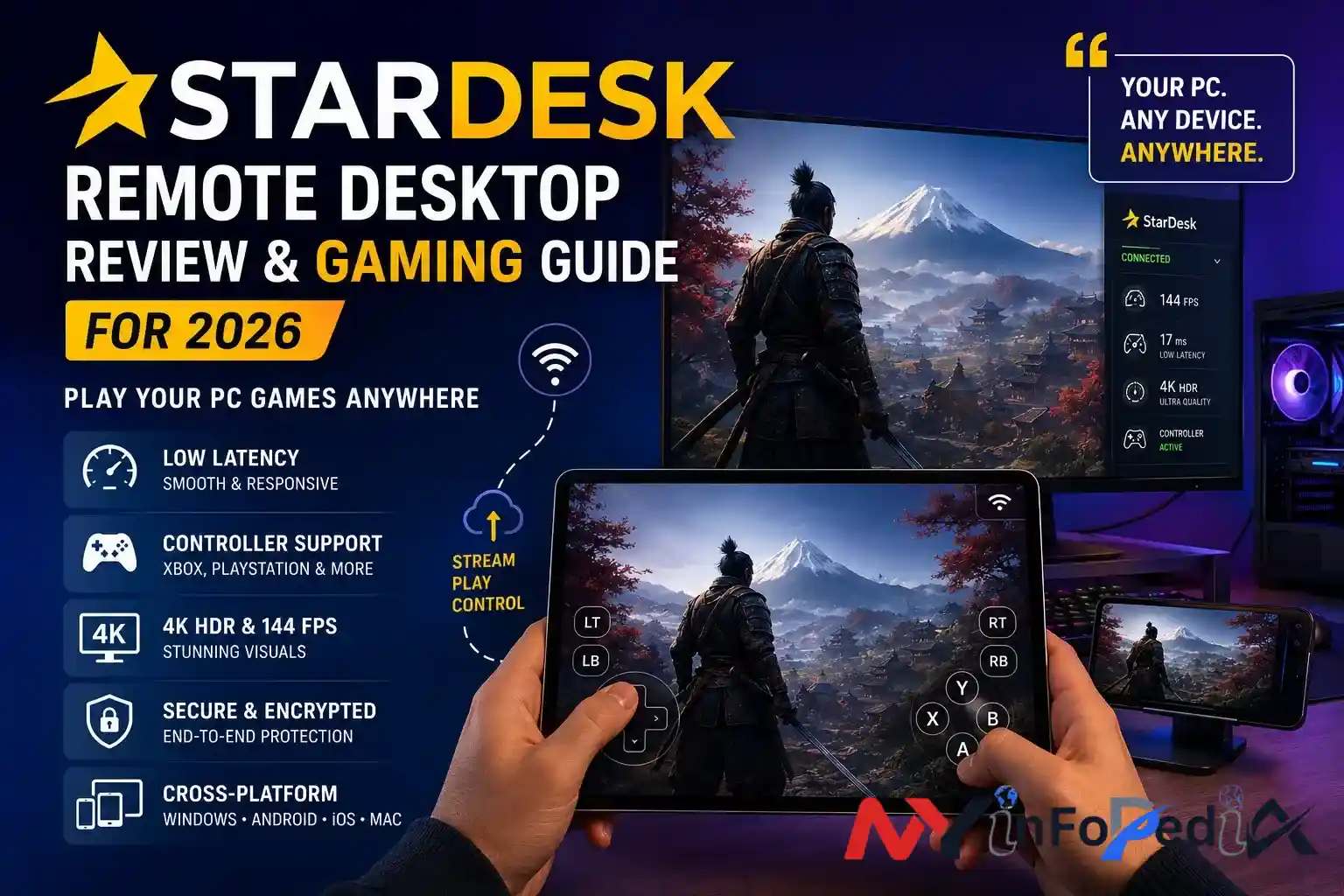
Remote desktop software used to have a reputation for being boring. It was mostly associated with office IT support, frozen mouse cursors, and someone saying can you see my screen now. That image has changed fast.
In 2026, remote desktop technology is moving into gaming, creative workflows, cloud computing, and even portable PC setups. One name appearing more frequently in gaming discussions is StarDesk. It positions itself as a low-latency remote desktop platform built not only for work, but also for high-performance game streaming.
That naturally raises a few questions.
Is StarDesk actually good for gaming. Is it safe. How does it compare to Moonlight, Parsec, or Steam Remote Play. And perhaps the most important question for everyday users, does it feel smooth enough to forget you are technically controlling another machine from miles away.
This guide breaks down what StarDesk is, how it works, where it performs well, and where users should still remain realistic.
What Is StarDesk
StarDesk is a multi-platform remote desktop and game streaming application designed for Windows, Android, iOS, and macOS devices.
Unlike traditional remote access tools focused mainly on office productivity, StarDesk heavily markets itself around gaming-grade responsiveness, controller support, high frame rates, and mobile-friendly controls.
The platform promotes features such as:
- 4K HDR streaming
- Up to 144 FPS support
- Low-latency remote control
- Game controller compatibility
- Key mapping for touch controls
- Cross-platform access
- Remote Wake-on-LAN
- File transfer and remote desktop utilities
The concept is fairly straightforward. Your main gaming PC acts as the host machine. Another device such as a phone, tablet, laptop, or secondary computer becomes the client. StarDesk streams the host PC screen to that device while sending your inputs back in real time.
In practice, it feels somewhat similar to sitting in front of your gaming PC remotely, assuming the network conditions cooperate.
Why Remote Desktop Gaming Is Growing Fast
Gaming hardware prices have remained unpredictable for years. GPUs still fluctuate heavily in many regions, while gaming laptops capable of handling modern AAA titles can cost more than some used cars. Naturally, people started looking for alternatives.
Remote desktop gaming solves a practical problem.
Instead of installing games on every device, users keep one powerful PC at home and stream gameplay remotely.
That means:
| Traditional Gaming | Remote Desktop Gaming |
| Expensive hardware on every device | One powerful host PC |
| Large game downloads everywhere | Games stay on the main PC |
| Heat and battery drain on mobile | Mobile device only streams video |
| Device limitations matter more | Network quality matters more |
This shift mirrors broader cloud and streaming trends seen across the tech industry. Even companies like Microsoft, NVIDIA, and Sony have invested heavily in remote gaming ecosystems through Xbox Cloud Gaming, GeForce NOW, and PlayStation Remote Play.
StarDesk enters this market by trying to combine remote work functionality with gaming-oriented performance.
StarDesk Features That Actually Matter
Some remote desktop apps throw around impressive technical jargon that sounds exciting but changes little in real-world usage. A few StarDesk features are genuinely practical though.
Low Latency Streaming
Latency is the single biggest factor in remote gaming quality.
Even visually beautiful streaming becomes frustrating if inputs arrive too late. Competitive games expose this problem instantly. Miss one dodge in Elden Ring or mistime one shot in Valorant and suddenly every millisecond feels personal.
StarDesk claims near-zero latency feel through:
- Optimized streaming pipelines
- P2P connection preference
- Relay fallback systems
- Efficient encoding
- High refresh rate support
Realistically, no remote desktop platform achieves literal zero latency. Physics still exists, despite what marketing pages occasionally imply.
Still, users discussing StarDesk online frequently mention that responsiveness feels surprisingly close to native play on strong networks.
Controller and Touch Support
This is one area where gaming-focused remote desktop tools separate themselves from older office-style platforms.
StarDesk includes:
- Xbox controller support
- PlayStation controller support
- Bluetooth gamepad compatibility
- Touch overlays
- Key Mapping systems
The Key Mapping feature is particularly useful for games originally designed for keyboard and mouse input. Instead of awkwardly tapping random screen areas, users can create virtual controls directly on mobile displays.
It sounds minor until you try managing inventory in an MMO on a phone without it. Then it suddenly feels like one of humanity’s better inventions.
Multi-Platform Compatibility
StarDesk currently supports:
| Platform | Supported |
| Windows | Yes |
| Android | Yes |
| iOS | Yes |
| macOS | Yes |
| Android TV | Mentioned in testing/community discussions |
Cross-platform support matters more than many people realize. Modern users move constantly between devices throughout the day.
A remote session started on a laptop can continue later on a tablet or phone with relatively little friction.
Is StarDesk Safe
Safety concerns appear often in searches around StarDesk, and honestly, that concern is reasonable.
Remote desktop software has deep access to devices, screens, files, and input systems. Security should never be treated casually.
According to StarDesk documentation and technical descriptions, the platform uses:
- End-to-end encryption
- DTLS and SRTP encryption protocols
- TLS 1.2 and TLS 1.3
- Ephemeral session keys
- Perfect Forward Secrecy
- Certificate pinning
- Mutual authentication
Those are legitimate modern security standards commonly used in secure communication systems.
The platform also states that encryption keys remain on user devices rather than being permanently stored on servers.
That said, users should still follow basic security practices:
Smart Security Habits for Remote Desktop Users
- Use strong passwords
- Enable multi-factor authentication if available
- Avoid public Wi-Fi for sensitive sessions
- Keep software updated
- Restrict unattended access
- Review permission settings regularly
No remote desktop platform becomes magically secure just because encryption exists. User behavior still matters.
StarDesk vs Moonlight vs Parsec
This comparison comes up constantly because these tools target overlapping audiences.
| Feature | StarDesk | Moonlight + Sunshine | Parsec |
| Gaming Focus | Strong | Very Strong | Strong |
| Open Source | No | Yes | No |
| Setup Simplicity | Beginner Friendly | Technical | Moderate |
| Controller Support | Yes | Yes | Yes |
| Touch Key Mapping | Yes | Limited | Limited |
| macOS Support | Yes | Partial | Yes |
| Price | Free during beta phases | Free | Freemium |
| Remote Work Features | Yes | Limited | Moderate |
When StarDesk Makes Sense
StarDesk works best for users who want:
- Easy setup
- Mobile-friendly controls
- Gaming plus productivity
- Cross-platform simplicity
- Modern interface design
When Moonlight May Be Better
Moonlight paired with Sunshine remains extremely popular among advanced users because of:
- Open-source transparency
- Extensive customization
- Strong performance tuning
- Enthusiast community support
The downside is complexity. New users can absolutely get lost during setup.
When Parsec Still Wins
Parsec continues to dominate collaborative gaming and remote creative workflows in many professional environments.
It remains particularly popular among:
- Video editors
- Game developers
- Remote creative teams
- Professional studios
Real-World Use Cases
Gaming While Traveling
One increasingly common scenario involves users leaving a gaming PC at home while traveling with only a lightweight laptop or tablet.
With stable internet, remote gaming sessions become surprisingly practical for:
- RPGs
- Strategy games
- Simulation games
- Casual multiplayer titles
Fast competitive esports games still depend heavily on connection quality.
Remote Creative Work
High-resolution streaming also helps creative professionals.
Editors, designers, and developers can remotely access powerful desktop workstations instead of carrying expensive mobile hardware everywhere.
This workflow became significantly more common after remote work adoption accelerated globally during and after the COVID-19 pandemic.
IT and Remote Support
Despite the gaming branding, StarDesk still functions as a traditional remote desktop platform.
That means users can:
- Access office PCs remotely
- Transfer files
- Perform maintenance
- Assist family members with troubleshooting
- Manage unattended systems
Every family eventually develops one unofficial tech support person. Remote desktop apps quietly become survival tools for them.
Limitations Users Should Understand
No remote desktop solution is perfect.
StarDesk still depends heavily on:
Internet Quality
Weak upload speeds destroy remote gaming quality quickly.
For smooth performance, users generally need:
- Stable broadband or fiber
- Low network congestion
- Strong Wi-Fi signal
- Preferably Ethernet on the host PC
Competitive Gaming Constraints
Even excellent remote streaming cannot fully eliminate network travel time.
Highly competitive esports players may still prefer native local hardware for serious ranked play.
Battery Drain on Mobile Devices
Streaming high-refresh-rate video continuously can still consume significant battery power on phones and tablets.
Portable gaming freedom sometimes comes with portable charger anxiety.
Final Verdict
StarDesk represents an interesting evolution in remote desktop software. It blends traditional productivity tools with gaming-focused features in a way that feels increasingly aligned with how modern users actually use technology.
Its strongest advantages include:
- Beginner-friendly setup
- Strong cross-platform support
- Mobile gaming controls
- Modern streaming features
- Low-latency focus
- Flexible remote access
It is not the only strong option available. Open-source alternatives like Moonlight and Sunshine remain excellent for advanced users, while Parsec still performs exceptionally well in professional workflows.
But StarDesk clearly understands a growing audience that wants remote access to feel less like office software and more like a seamless extension of their gaming PC.
And honestly, that shift probably says a lot about where computing itself is heading.
FAQs
Is StarDesk free to use
StarDesk has promoted free access during various beta and early access phases. Long-term pricing may change later, so users should check official announcements for updated plans.
Can StarDesk be used for gaming
Yes. Gaming is one of its primary use cases. It supports high frame rates, controller input, low-latency streaming, and mobile-friendly controls.
Is StarDesk safe for remote access
StarDesk states that it uses end-to-end encryption, TLS protocols, DTLS, and modern authentication systems. Users should still follow strong account security practices.
Does StarDesk work on phones and tablets
Yes. StarDesk supports Android and iOS devices alongside Windows and macOS systems.
What internet speed is good for StarDesk gaming
A stable broadband or fiber connection works best. Ethernet on the host PC and strong 5 GHz Wi-Fi on the client device generally provide smoother gameplay and lower latency.
